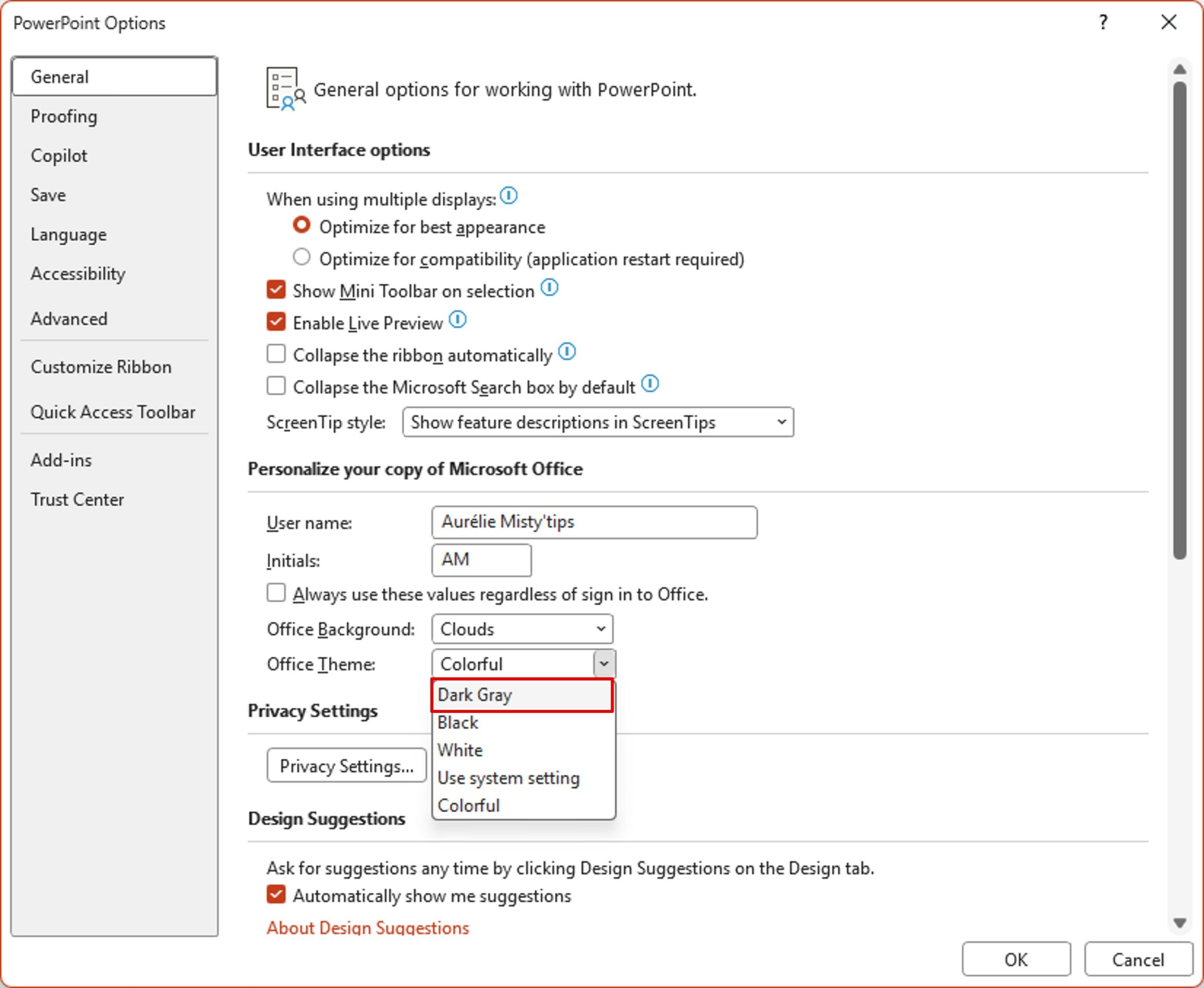
Tired of being blinded by your computer screen? Or want to channel your inner geek? Switch to dark mode.
The dark mode helps limit visual fatigue, especially in the evening or in a low–light environment. Here‘s how to easily activate the dark theme on Windows 10/11 and in Microsoft Office applications (Word, Excel, Outlook, PowerPoint, OneNote…).
Enable dark mode in Windows
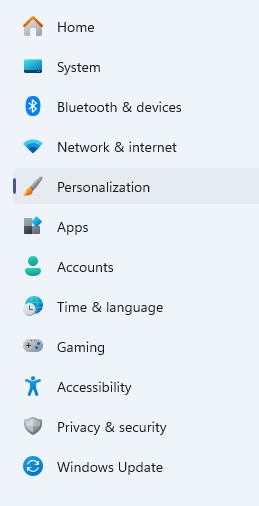
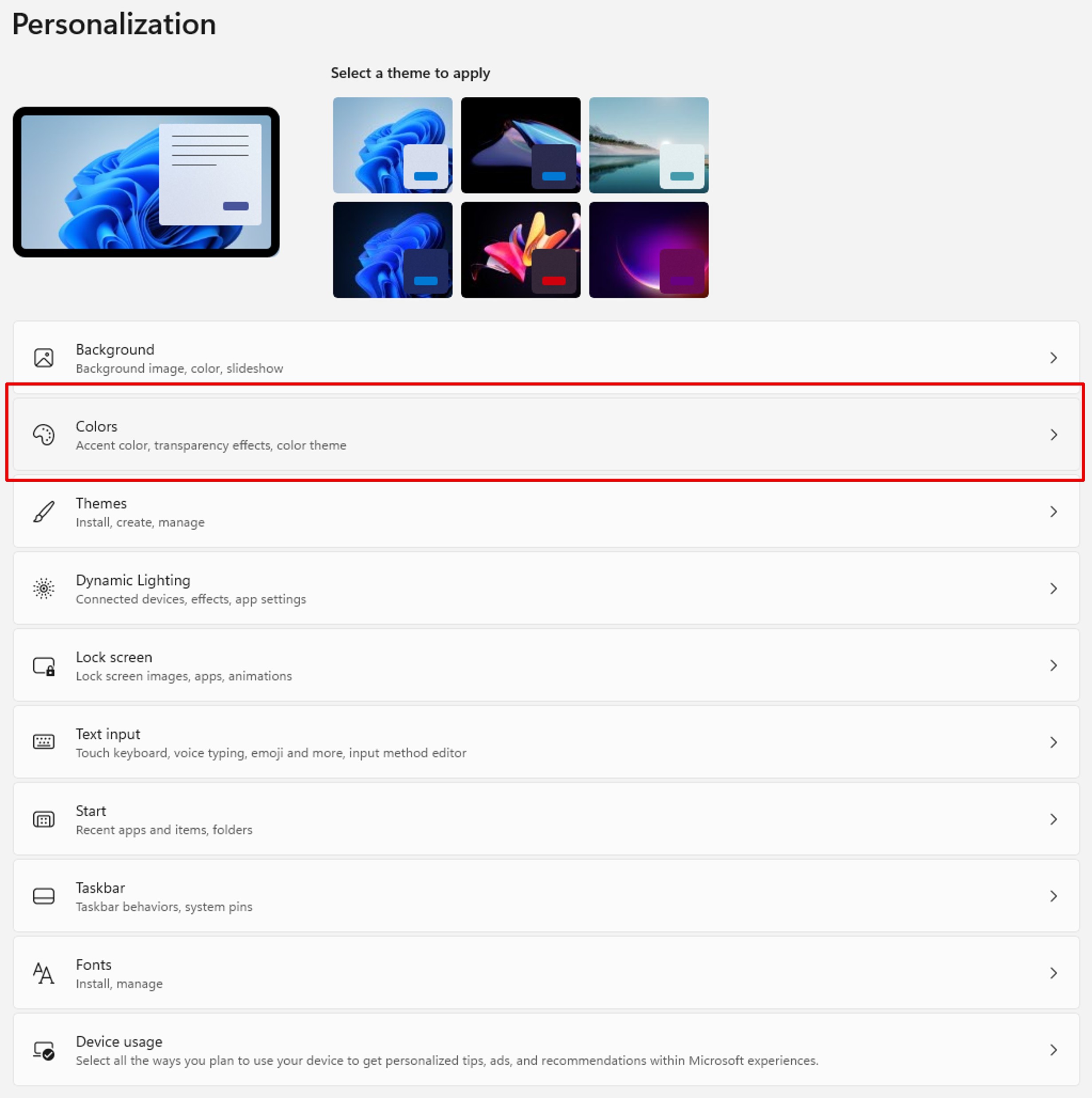
In Windows Settings, click Personalization, then click Colors.

In the Colors module, click Choose your mode, you can choose Light, Dark, and Custom.
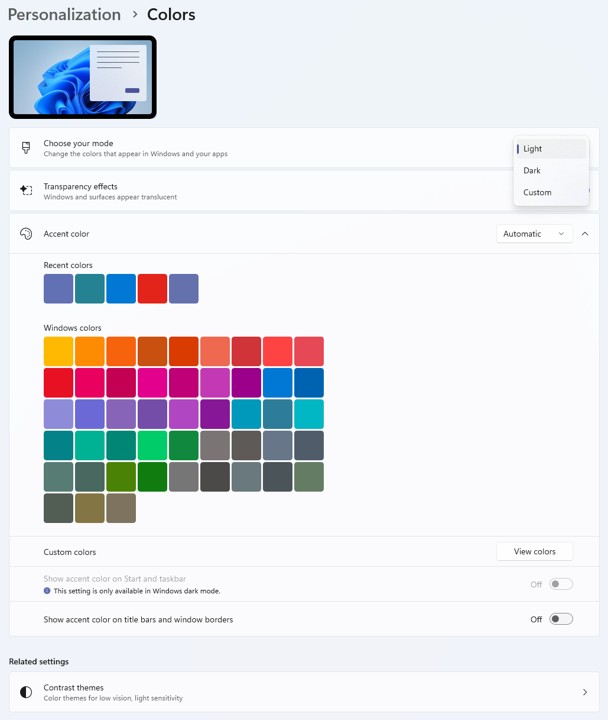
The Custom mode allows you to dissociate the settings of Windows and applications.

Enable dark mode in Office apps
In an Office application, click the File menu, and then click Options.
In the General options, the Personalize your copy of Microsoft Office section allows you to change your display mode.
The Office Theme drop-down list gives you the choice between:
- Dark Grey
- Black
- White
- Use system setting: changes as soon as you change windows settings
- Colorful: Default theme
Note: on Outlook, with the Dark Grey theme, the background of messages remains light.