Want to make sure your recipients don’t forget to reply to your request? Just add a reminder to your message!
Outlook allows you to add reminders to recipients when you send them a message.
Caution: This feature is available only in the Exchange environment.
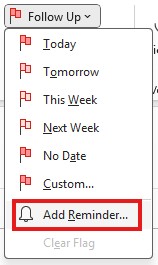
Indeed, when you are writing your email, in the Message menu, click on Follow Up.

Then click Add Reminder.
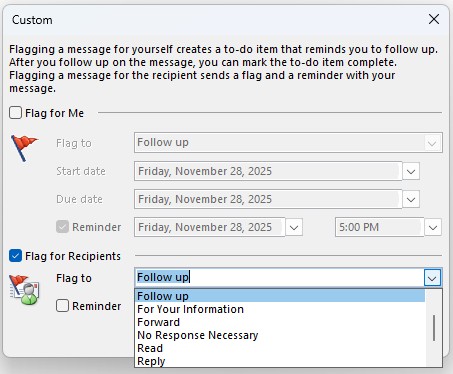
In the Custom window that opens:
- Uncheck the Flag for Me box. (This is for sender tracking)
- Select the Flag for Recipients check box.
From the drop–down list, you can select the action that corresponds to your request (Reply, Forward, etc.). This clarifies the purpose of the reminder for the recipient.
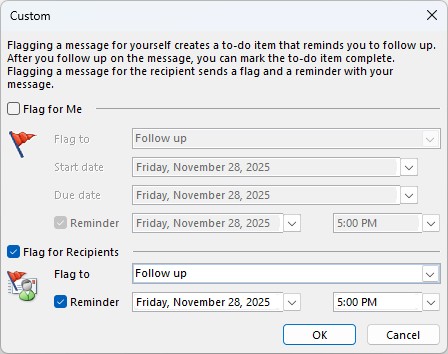
Check Reminder and set a date and time.
This way, the recipient of your message will have a reminder notification on the scheduled date and time.
To remember:
- The feature only available in an Exchange environment
- The reminder is displayed on the date and time you choose
- If the message is deleted, the reminder disappears.