Need to send an email at a specific time but worried about missing the deadline? In Outlook, you can schedule your email to be sent automatically—no need to lift a finger!
First of all, write your email normally.
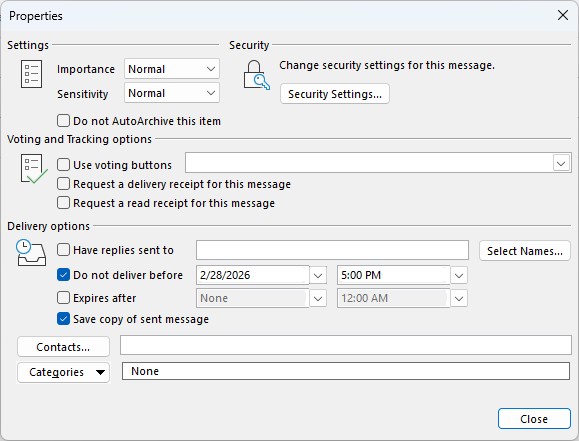
Then, from the Options menu, click Delay Delivery.

In the Delivery options box, make sure that Do not deliver before is checked. Set up the date and time you want the email to go.
Finally, click on the Send button in your email.

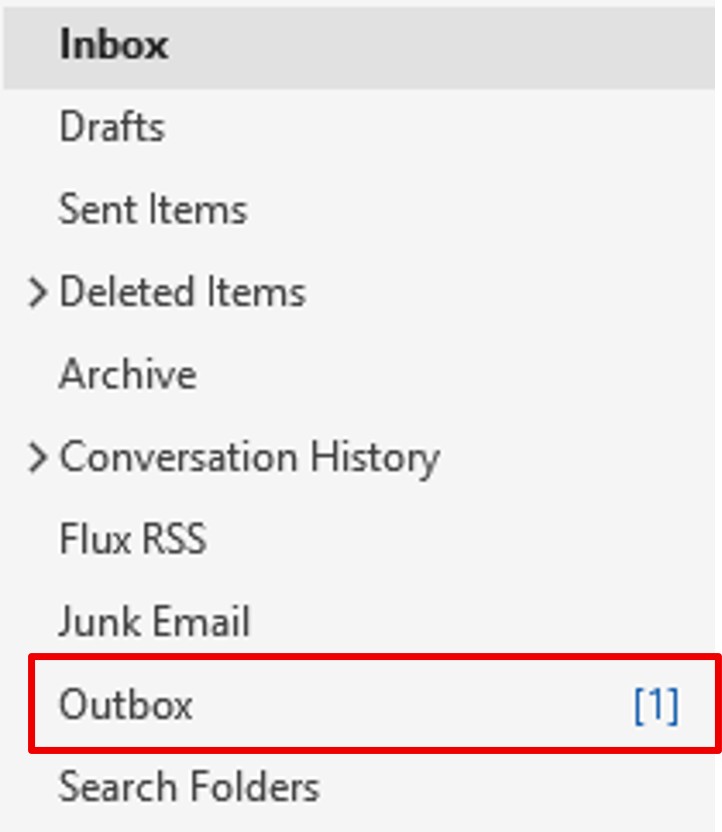
The email will remain in your outbox until the appointed time.
1st point of attention:
If you modify the email, click on Send and not on the cross, otherwise it will not go.
In your outbox, the email must be preceded by an arrow (and not a file + pen) to leave at the configured time.


2nd point of attention:
Outlook must be opened at the time the mail is supposed to go, otherwise it will only leave when Outlook is opened again.