Is your link showing up as a boring URL? Turn your links into clear, professional hooks — in 3 clicks!
When you add a hyperlink, the text displayed is the default text displayed: the address of the link or the name of the document. It is possible to customize the text displayed to match the message you want to convey.
Let‘s take this link as an example and see how to customize it.

Step 1: Access the edit feature
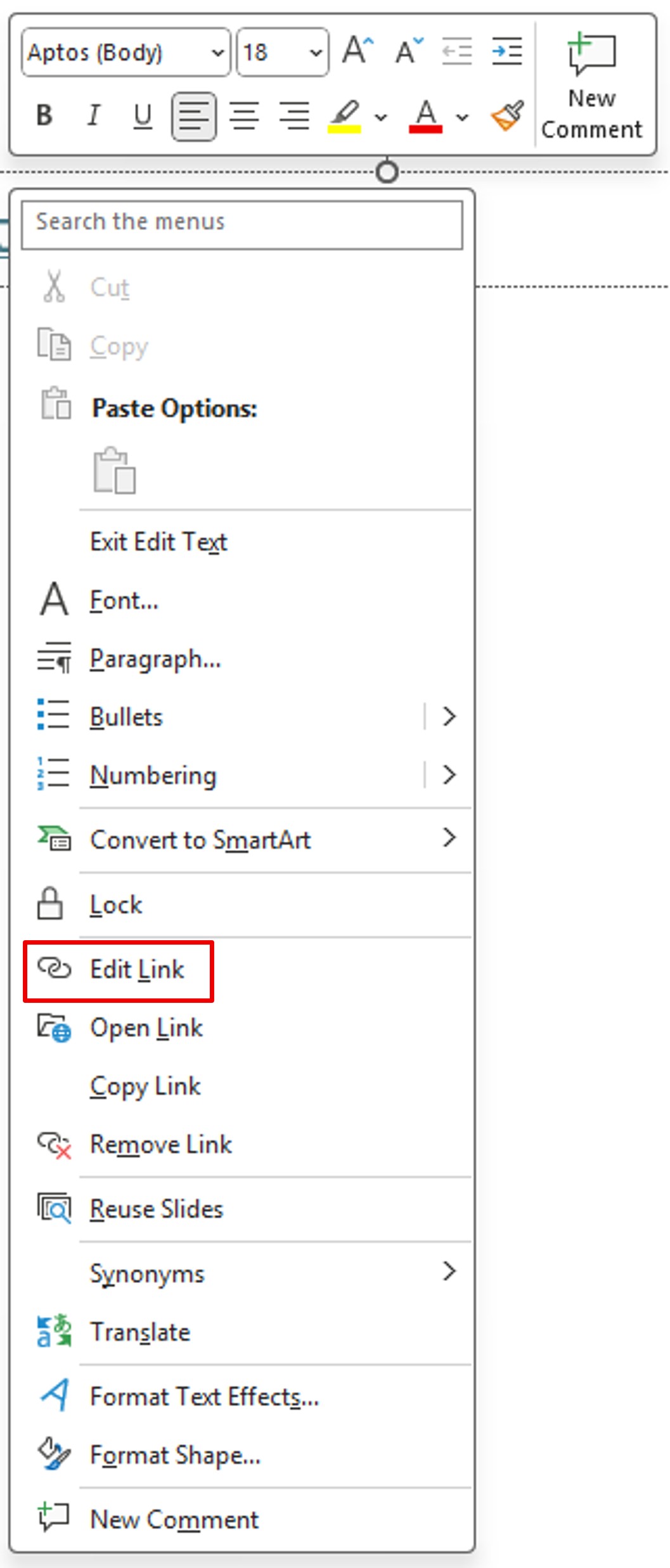
First, after pasting the link, right–click on it to bring up the context menu. Then, click on Edit Link.
Another option, via the keyboard shortcut:
CTRL + K
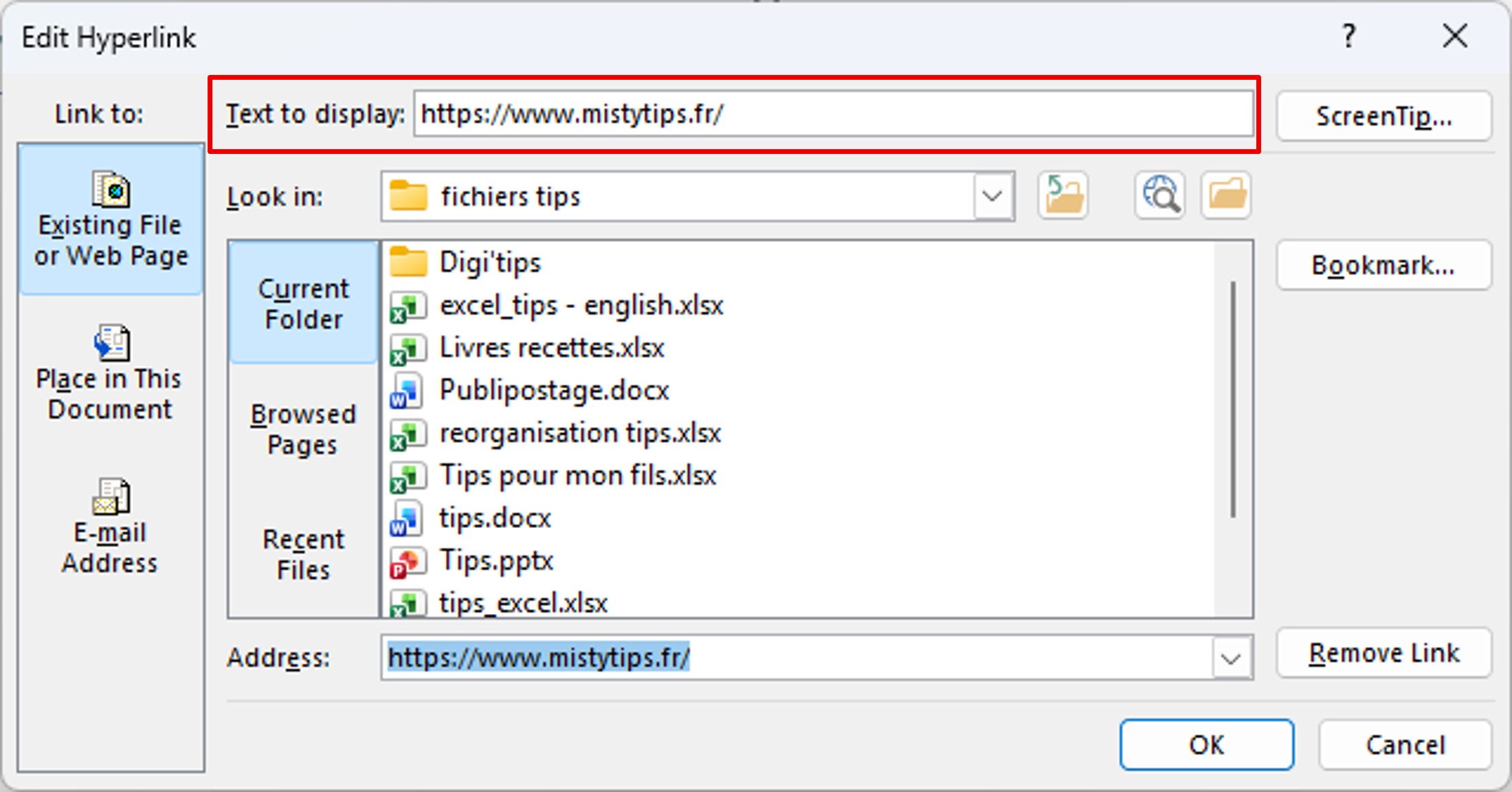
Step 2: Change the “Text to Display“
In the Text to Display field, enter the text you want to appear.
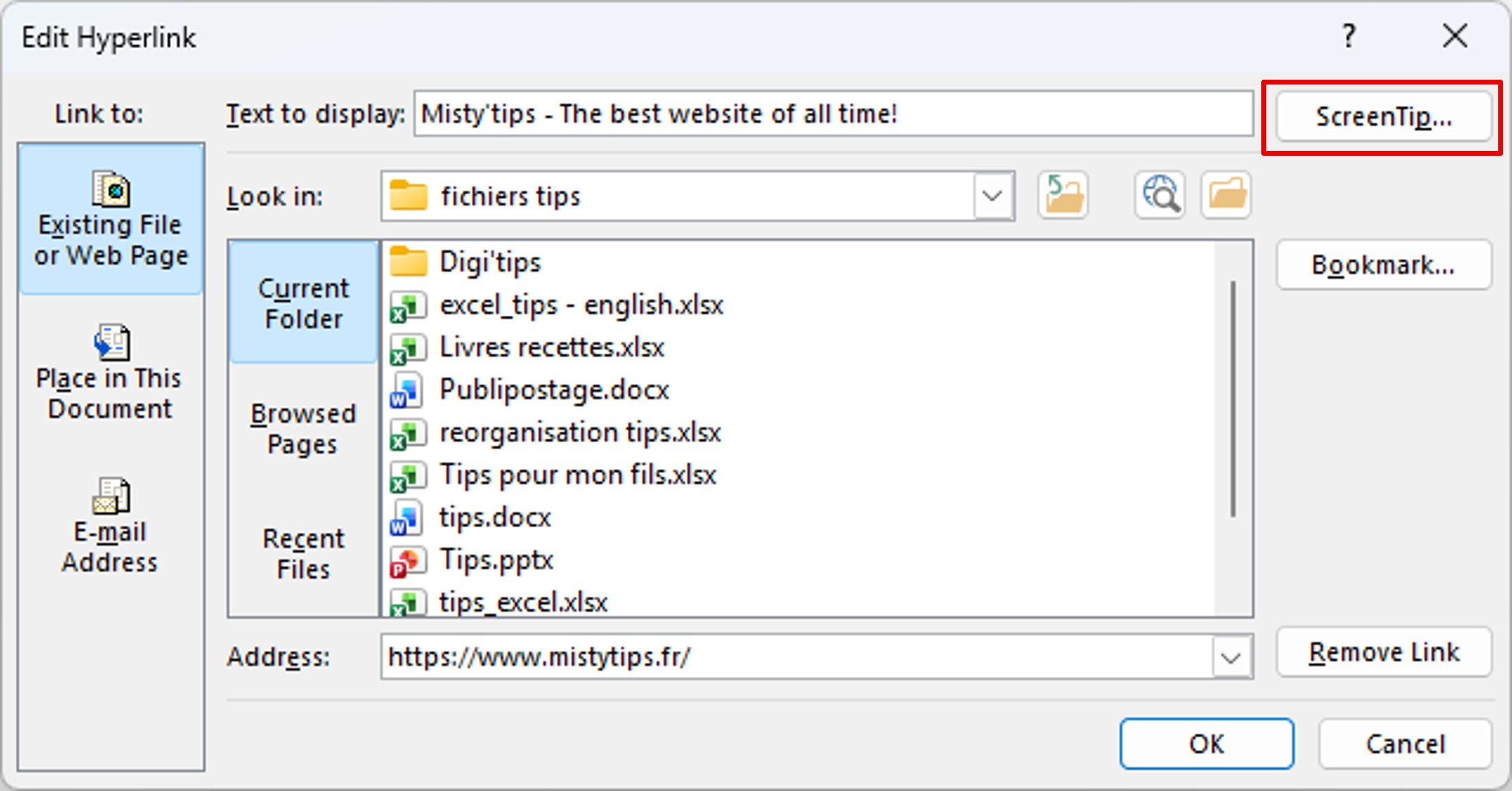
Optional: Add a Tooltip
You can even add a message when hovering over the link with the mouse, click on the ScreenTip button.
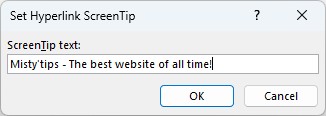
Add the message that will be displayed.
And here is the result.

Guide your readers as you wish. Offer them clear and inspiring paths.