Do you have a nice chart in Excel that you want to paste into a presentation, but the layout changes as soon as you paste it?
If you want to paste an Excel chart into a presentation without formatting, paste that chart as a picture.
You have 2 options:
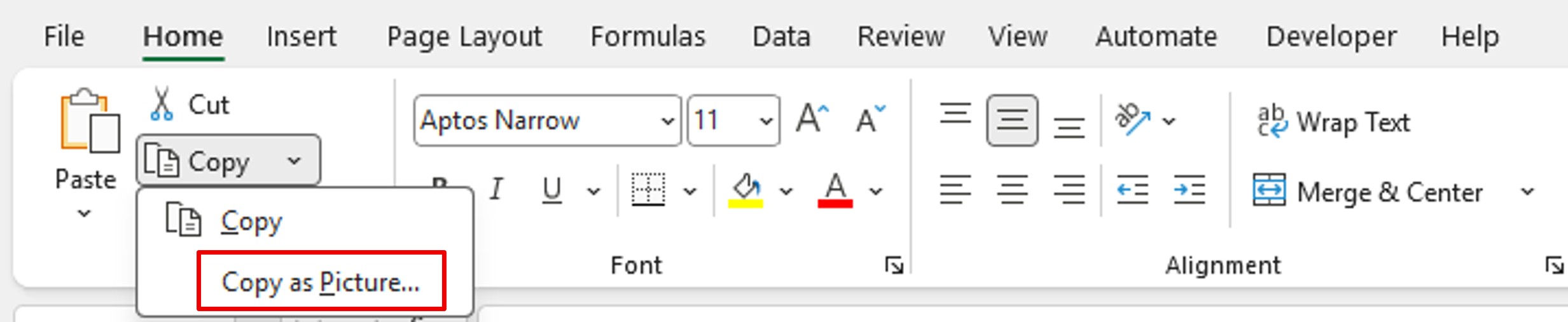
1st solution: click on your Excel chart. Stay in the Home menu, and then in the Clipboard module, click on the copy options. Finally, click Copy as Picture.
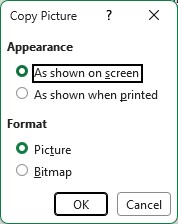
Set your pointer on your presentation (or other) and paste your chart (CTRL + V).
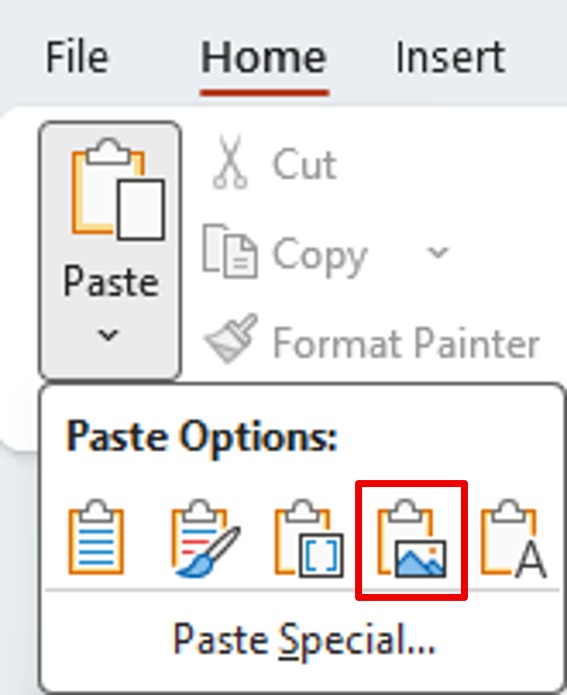
2nd solution: copy your graph. In the target document, right–click or go to the Home menu, Paste menu, click on Picture.
Your chart has the exact same layout as in your reference Excel file.