

Your inbox is overflowing, but you don‘t want to delete everything.
Good news: you can remove attachments… without touching your emails.
If you don’t need to keep the attachments, you can delete them while keeping the email.
To do this, you have 2 possibilities:
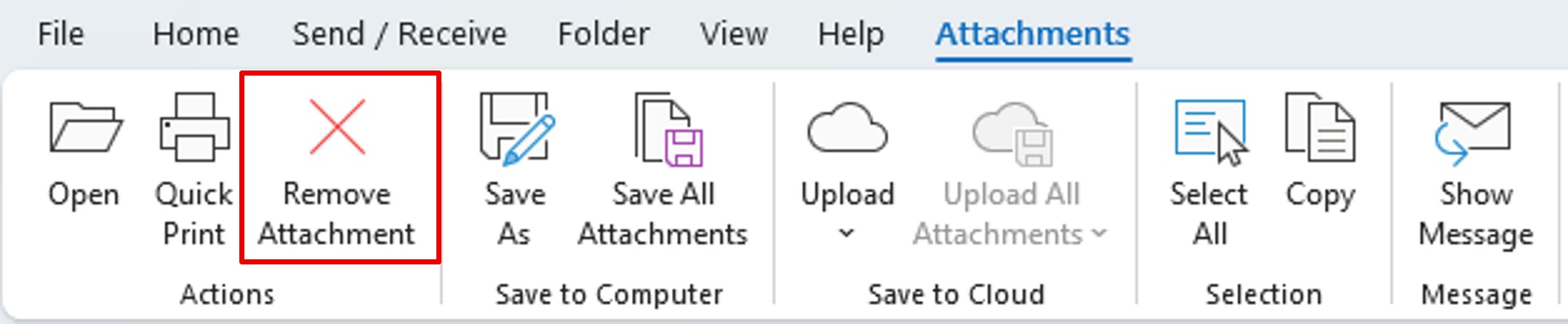
Use the Attachments tab
When you single-click the attachment, the Attachments tab appears on the ribbon.
Click Remove Attachment.
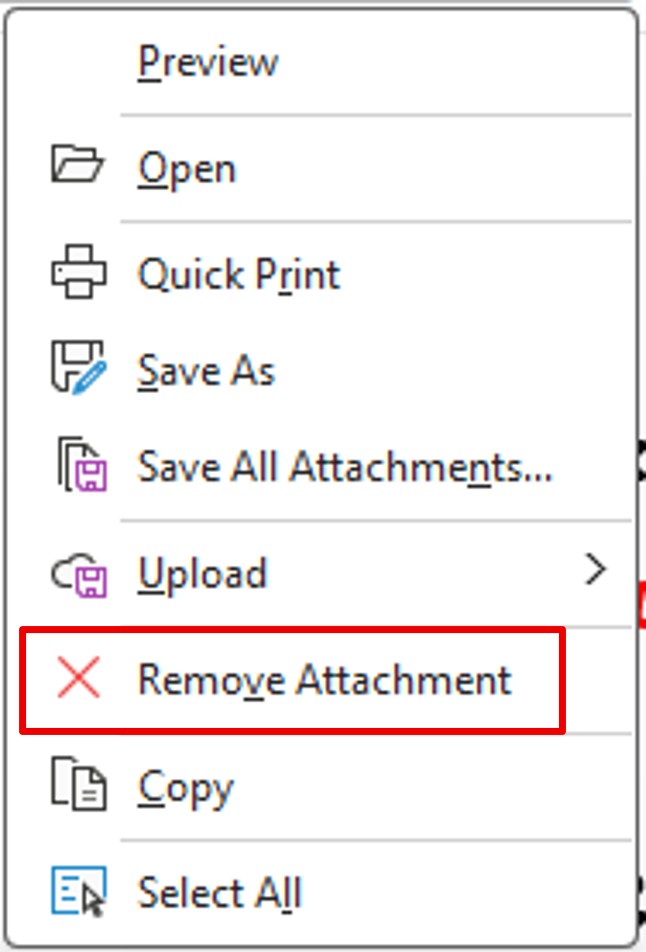
Use the context menu
When you right-click on the attachment, a context menu appears.
Select Remove Attachment.
Delete multiple attachments at once
Click the first attachment to select it.
Then press the SHIFT key and click the last attachment.
Finally, click Remove Attachment.