Do you want to make your data speak for itself and make dynamic reports? Discover the power of Power BI.
What is Power BI?
Power BI is a data visualization tool: transforming raw data into graphical representations to make it easier to understand and analyze.
Power Bi is based on 3 modules:
- Power Query (M) — Collect, cleanse, and transform data
- Power Pivot (DAX) — Model, link tables, and analyze
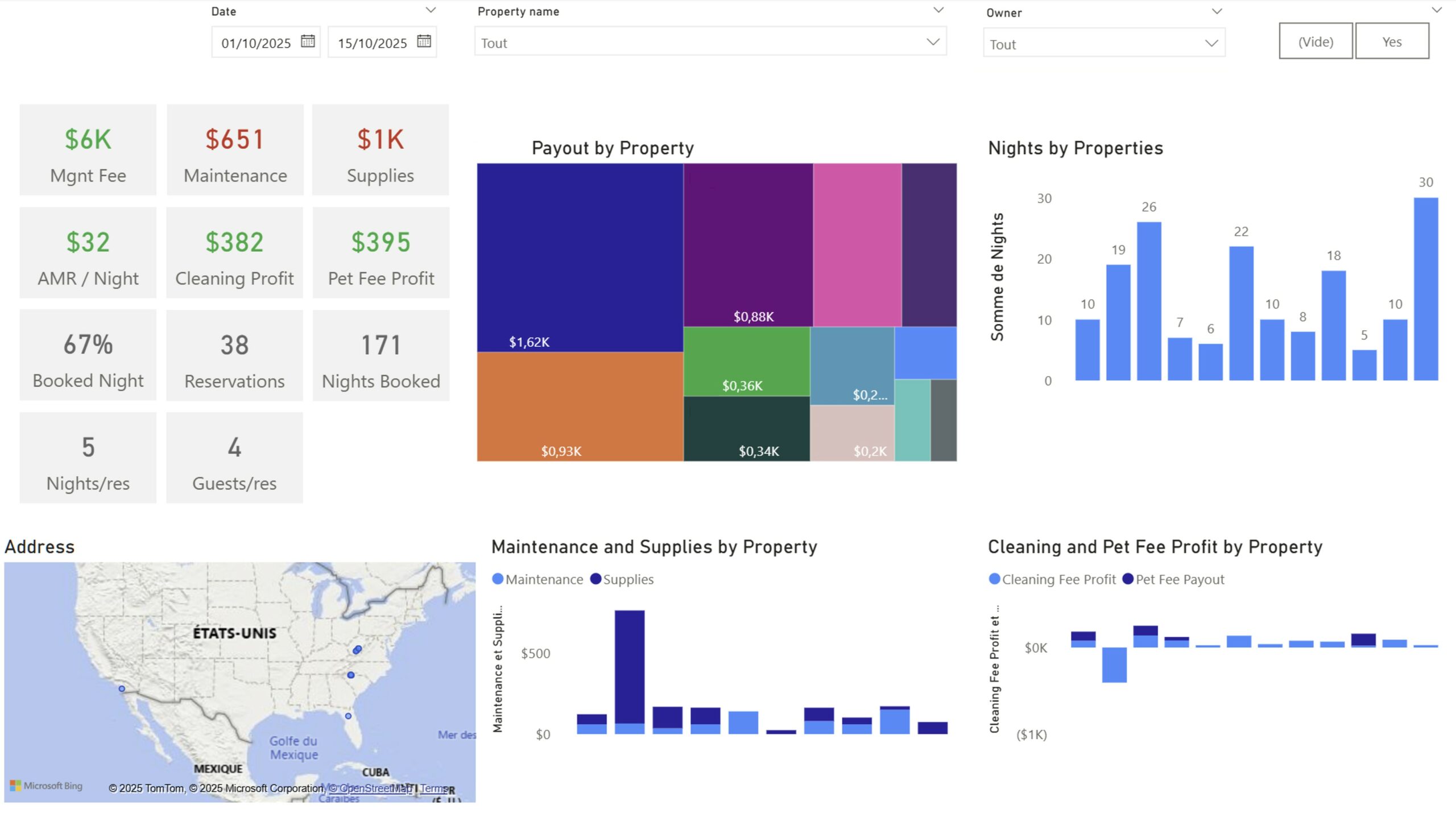
- Power View — Build interactive and dynamic visualizations
Why use Power BI?
Power BI enables:
- Aggregate data from multiple sources (Excel, SQL, SharePoint, APIs, etc.)
- Connect them with a data model
- Create interactive dashboards where each click filters the entire report
- Easily share analytics with teams or clients
Thanks to visual interfaces, Power BI is accessible to everyone, no need to know how to code.
How does it work?
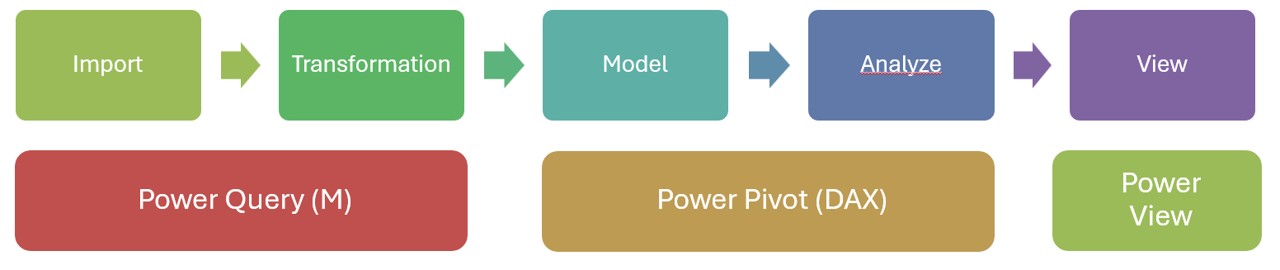
Power Query
Power Query is the module that allows you to import and transform data.
The data can come from different sources.
Data transformation aligns data to make it look like all the data is coming from the same place.
The data sources remain intact.
Learn more: Power Query overview
Power Pivot
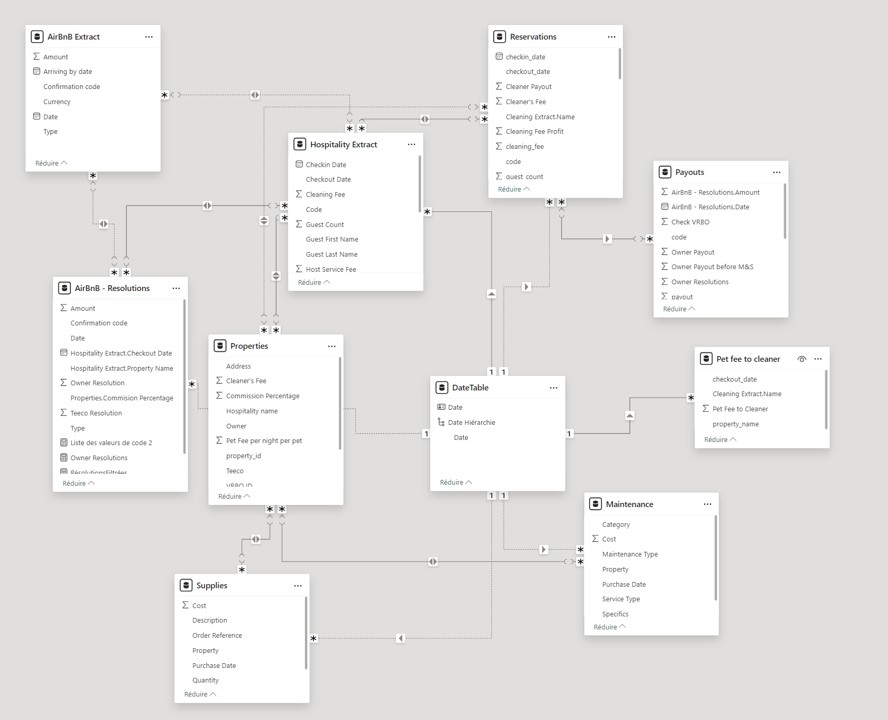
Power Pivot makes it possible to connect data.
From common data between tables, it is possible to relate them and create table “extensions“.
In addition, it is possible to create dynamic measurements, in DAX, which allows calculations to be made in the data.
Power View
Where do I get Power BI?
- Power BI Desktop (free – from the store or on the Power BI website): to create the reports
- Power BI Pro (licensed): Publish, share, collaborate, automate refreshes
For whom?
- Power BI Desktop: free, it‘s accessible to anyone who wants to make their data talk
- Power BI Pro: A license that allows you to share a report with others without them having access to the report architecture
Power BI may sound daunting, but with practice, data begins to tell its story… and everything becomes magical.