On Windows, do applications you rarely use automatically launch at startup? Does this slow everything down and get on your nerves?
On Windows, it is possible to enable or disable the automatic start of certain applications when you log in.
Windows Settings
First, open Windows Settings. Then on the Apps menu, click Startup.

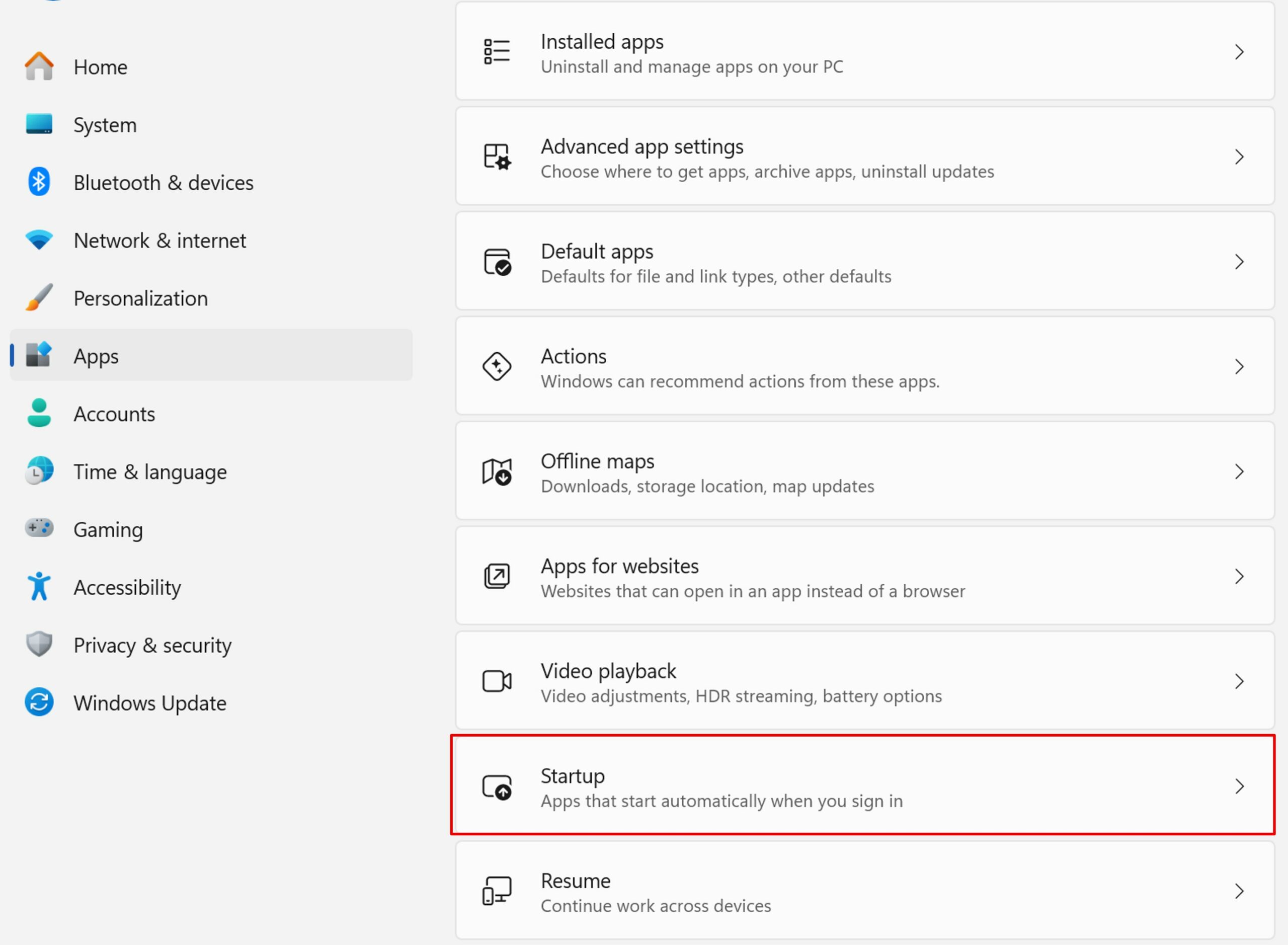
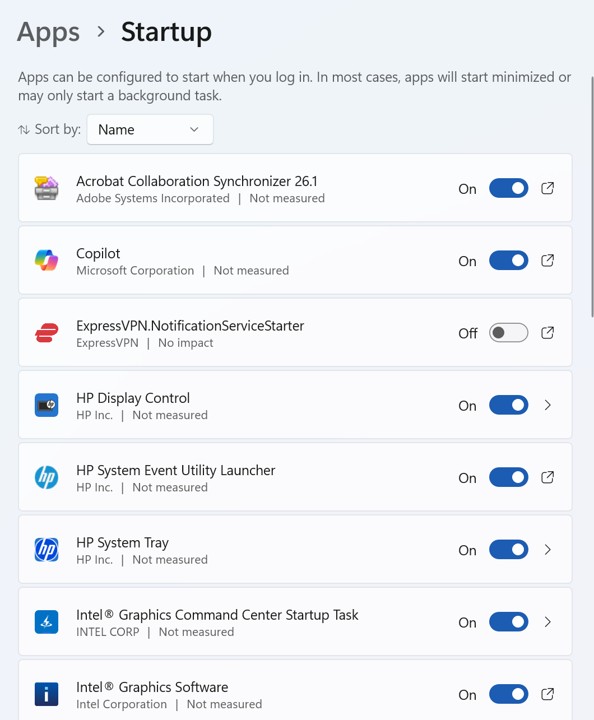
You can turn off apps that are bothering you.
Be careful, some applications are necessary for the proper functioning of your computer. In general, if the name sounds technical or related to Windows, it‘s best to leave it active.
Task Manager
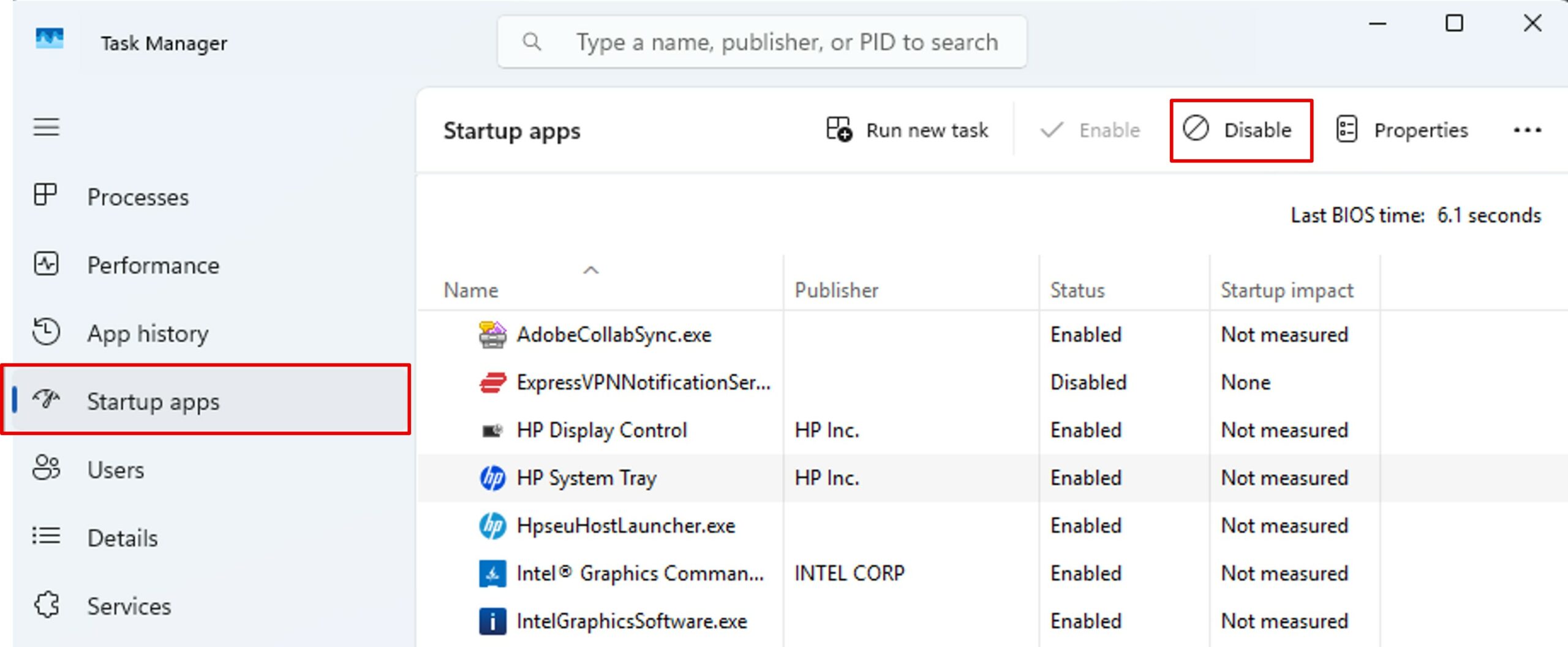
You can also disable a startup app via the Task Manager. To access it, press CTRL+SHIFT+ESC at the same time.
From the Startup apps menu, select the application you want, and then click Disable.
With just a few clicks, your PC breathes easier at startup. A simple little routine that changes everything.