Have you ever waited for a sleeping participant to finally leave the meeting to retrieve the list of attendees? The good news is that you can end the meeting yourself.
When you‘re a meeting organizer, you have the option to close a meeting. This way, you decide when the sleeping participants leave the meeting. And you can retrieve the participant list (and/or your recording) immediately.
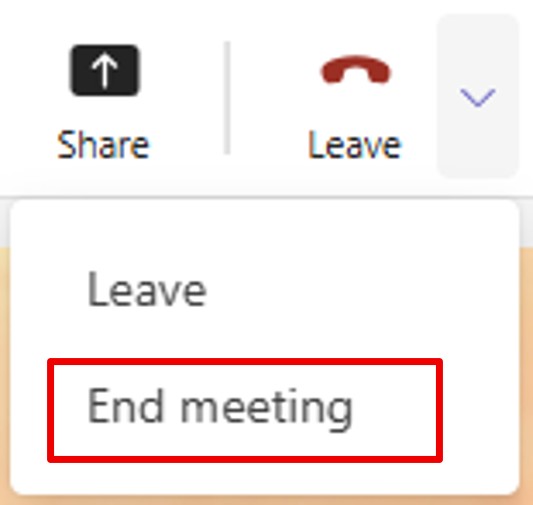
To do this, at the top of your meeting window, don‘t click Leave, but click the arrow next to it.
Then, click End meeting.
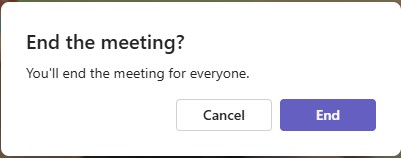
Teams will ask you to confirm.
⚠️Note: This option is only available to the meeting organizer.
By doing this, the meeting ends for everyone… even those who have fallen asleep.