

Don‘t do that… unless you like awkward moments on video.
There is a discreet gesture that changes everything. Once you test it, you‘ll never share your screen like you used to.
Share your screen with peace of mind: Windows virtual desktops give you a clean and controlled space.
Here‘s how to create a virtual desktop in seconds.
On the taskbar, click the icon next to the search bar. Windows offers you to open a new desktop.
Click on New desktop.
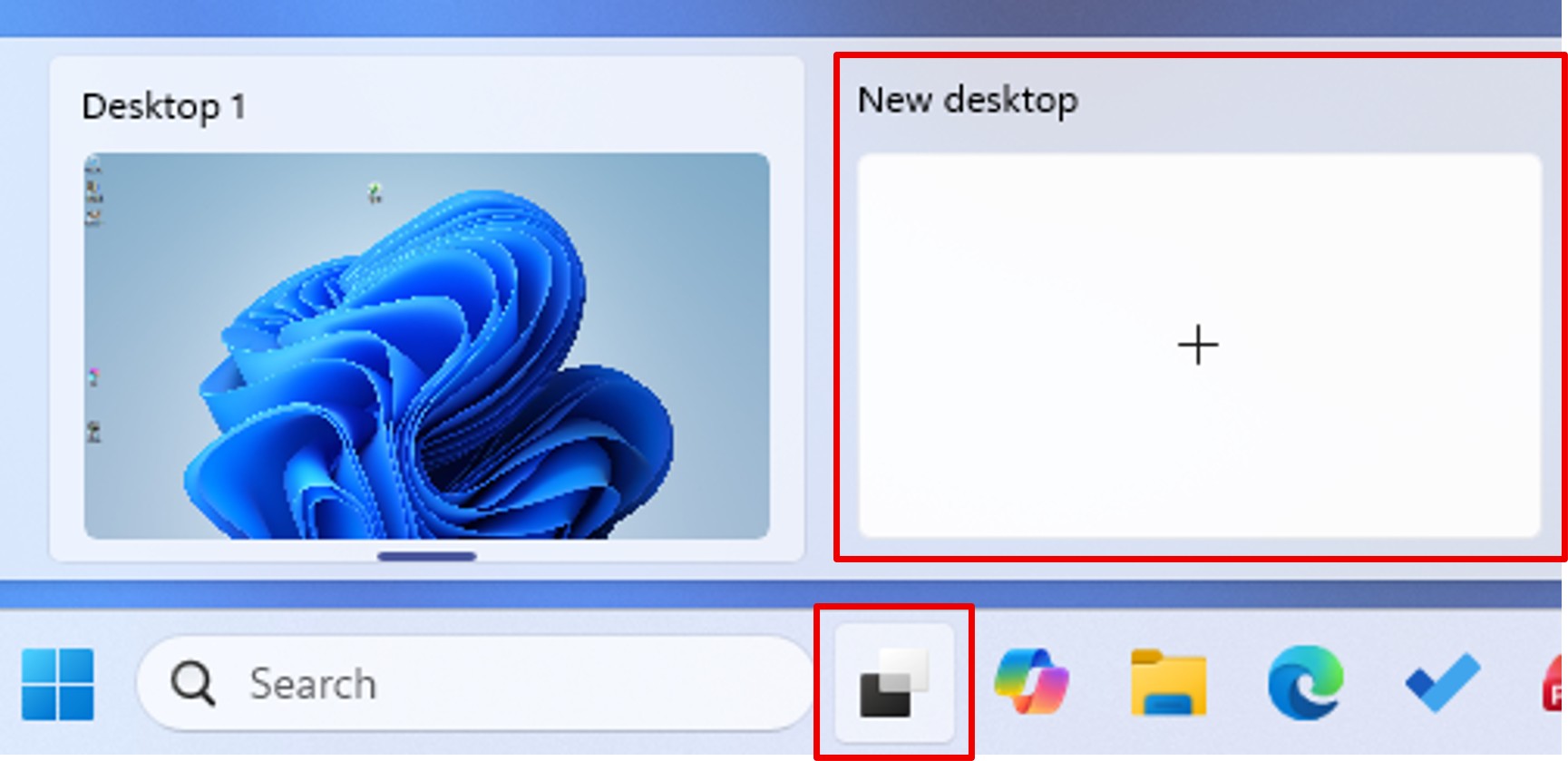
This gives you a new space. A virtual office is simply a second workspace, separate from the first.
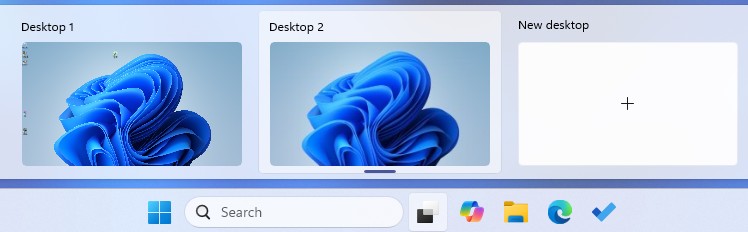
💡Tip: If you‘re on a Teams call, you can switch between desks without interrupting the call.
A small gesture, a great digital convenience.