If you prefer the desktop app to the web app, you can open your Teams files right in the desktop version!
By default, when you open a file stored in Teams, the file opens in the browser. The work is done via online applications (word, excel, powerpoint). The features are sometimes a bit limited.
Open a file in the desktop app
To use the desktop app, in the top right corner, click Editing, and then click Open in Desktop.
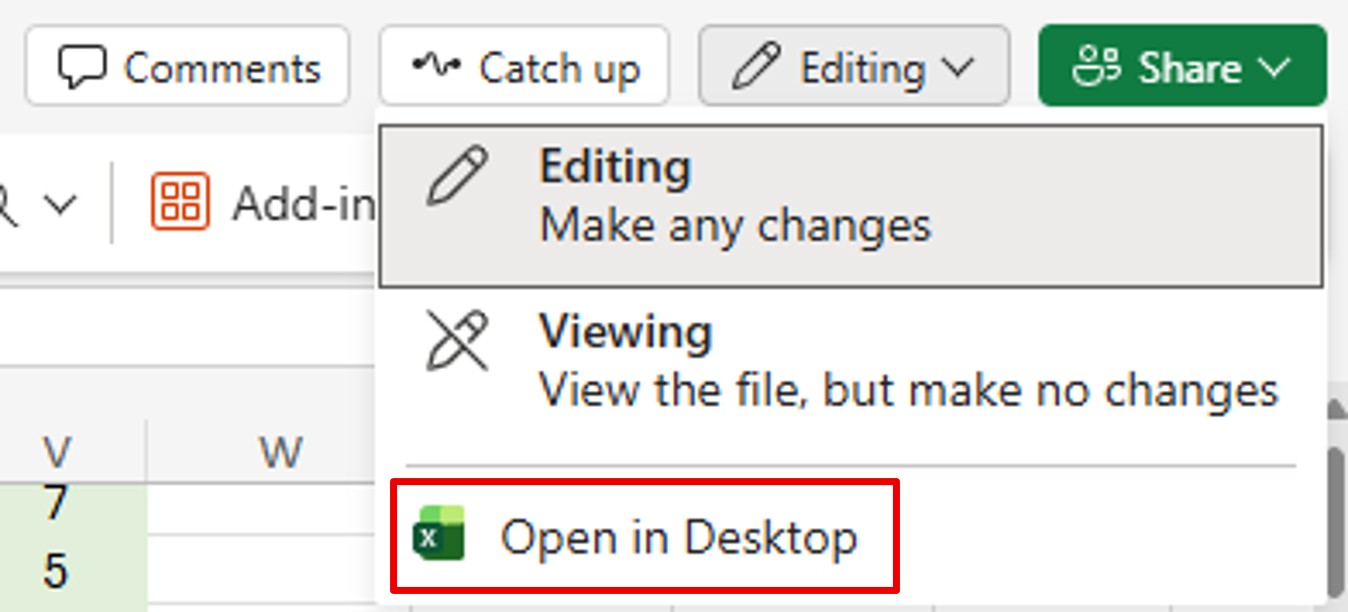
The desktop application (Excel, Word, PowerPoint) will open and you can work on your file at your leisure.
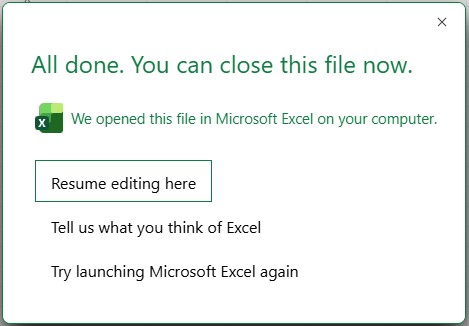
On the other hand, on the online version, the following window will be displayed. Click Resume editing here to return to your file (online version) and close it.
These manipulations are sometimes long. So if you prefer to use the desktop apps, it is possible to open the files directly in them.
Open files directly in desktop apps
You can set Teams to open all your files directly in the desktop app. To do this, go to the Teams settings (3 dots at the top right next to your photo or initials, then Settings).
Then, go to the Files and links section. Always open Word, PowerPoint, and Excel files in. Check Desktop.
💡Note: depending on your version of Teams, you will find more or less settings on this page.
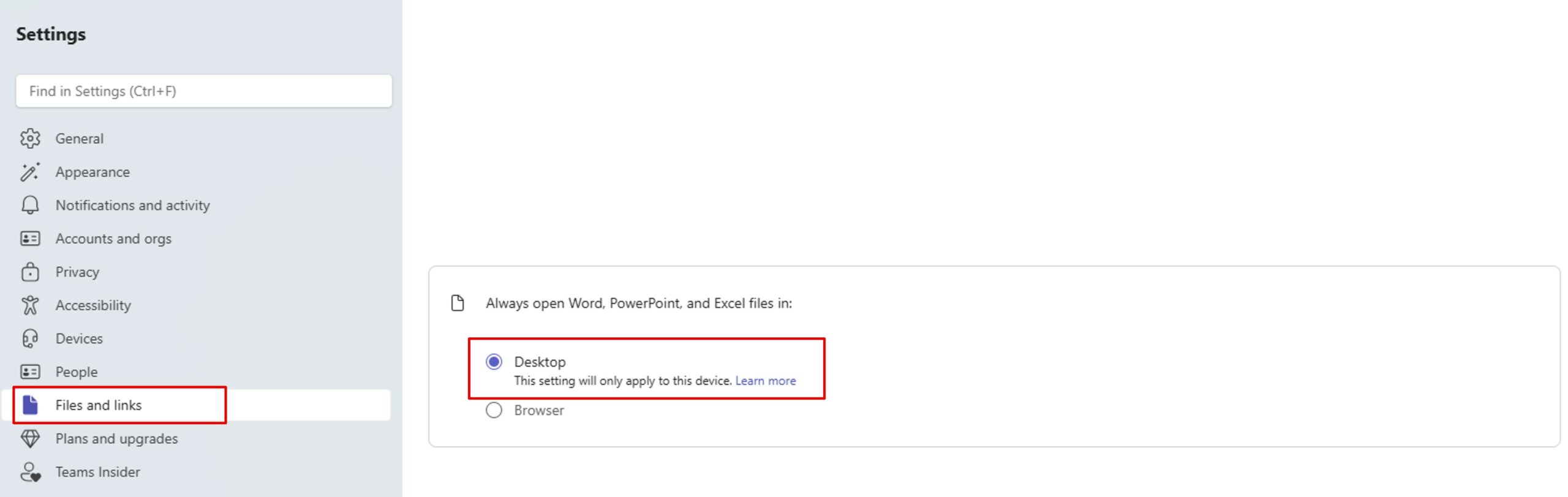
So from now on, all your files will open directly in the desktop application.