Are you looking to count distinct values in a pivot table… but Excel tells you no? Here‘s the hidden solution.
With the Number function, the pivot table counts all rows that contain a value.
To count only the distinct values, you must add the data to the data model: this unlocks the Distinct Count function.
Insert
First, on the Insert menu, click PivotTable.

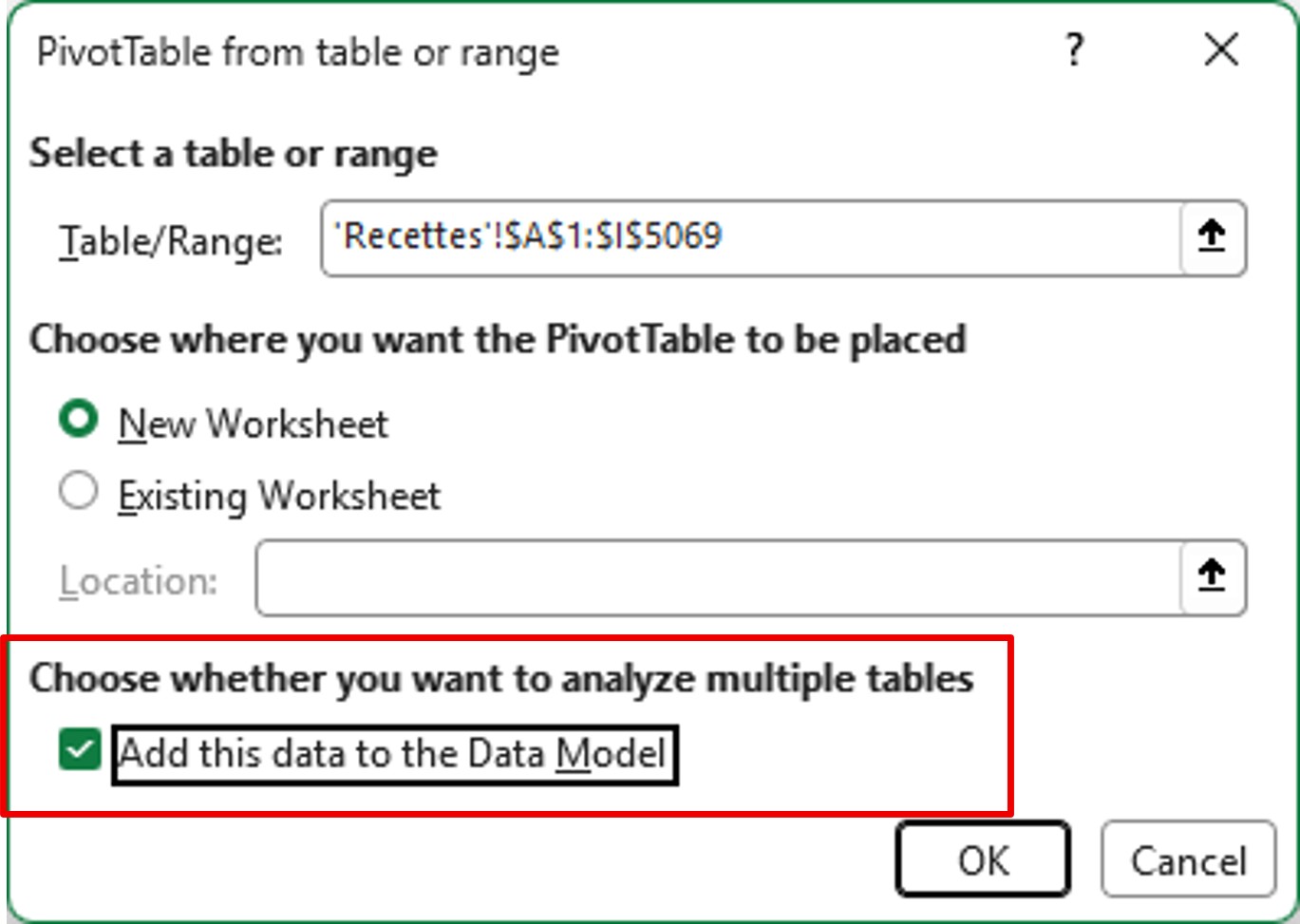
Data Model
⚠️ In the configuration window, check Add this data to the Data Model, in the Choose whether you want to analyze multiple tables section.
This step is crucial because it allows you to achieve the desired function.
Value Field Settings
When you insert your field into the value calculation, you can see that the pivot table counts all the rows.
Count of books: 5128

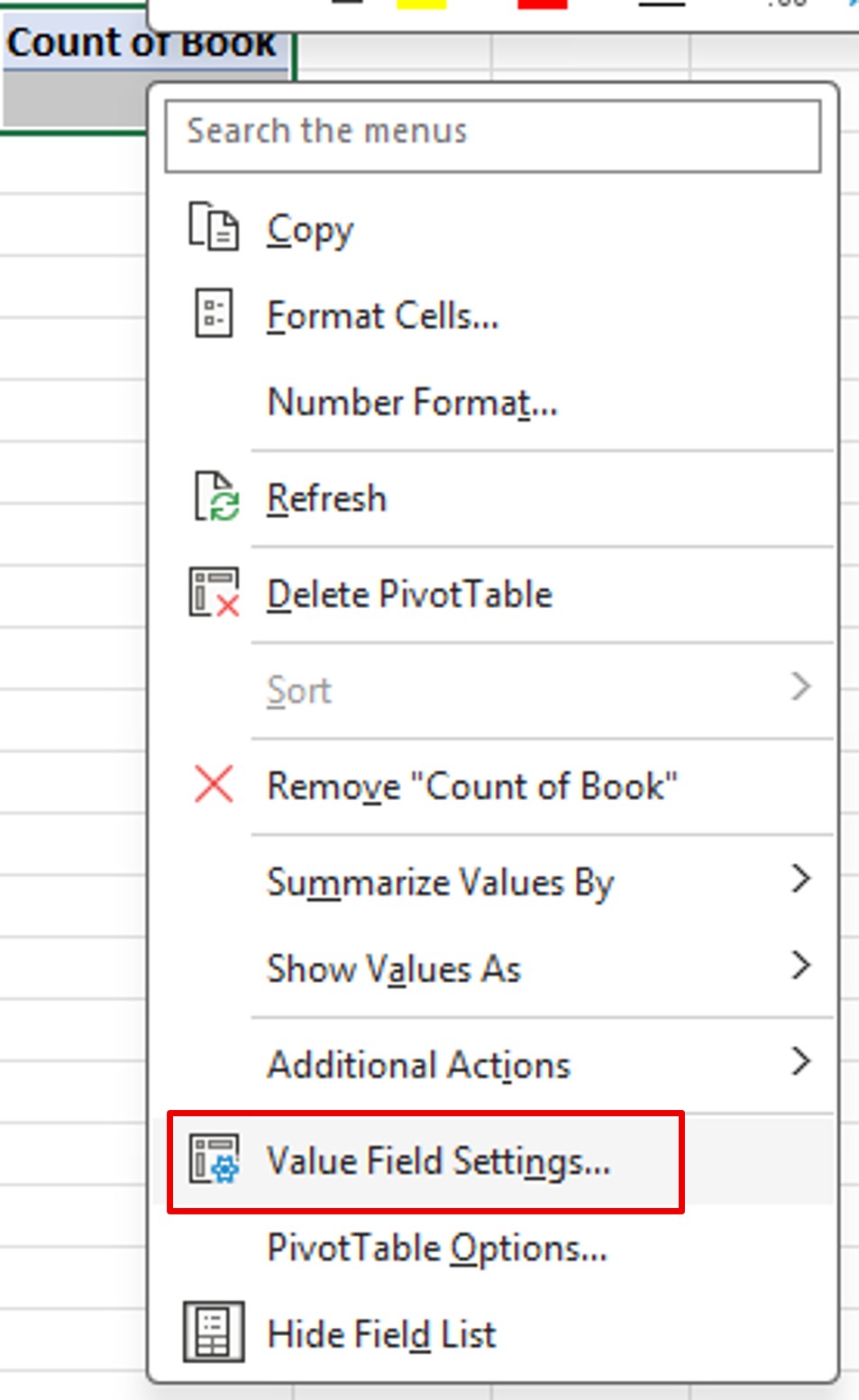
Right–click on the value. On the shortcut menu, click Value Field Settings.
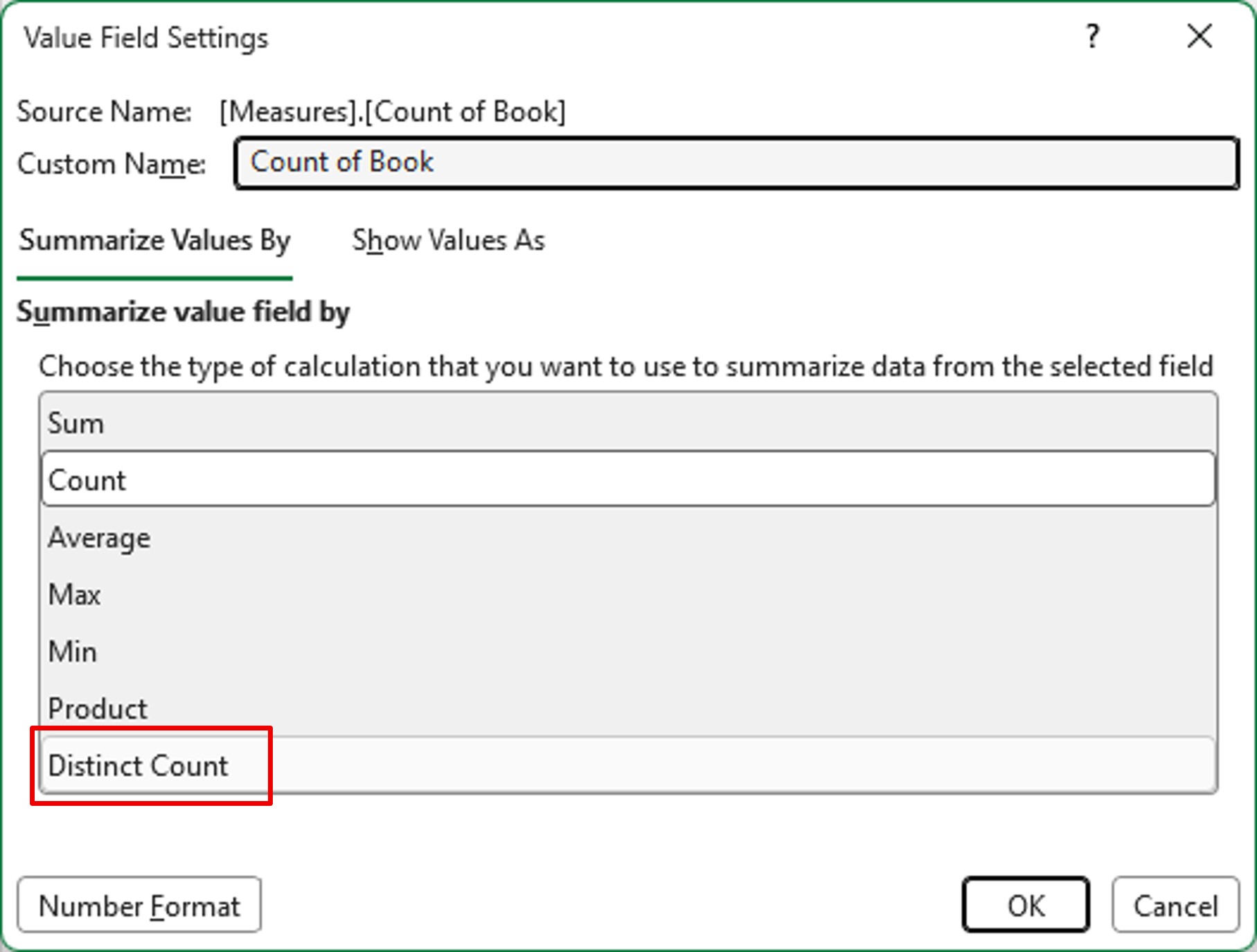
Then, in the Summarize value field by, choose Distinct Count and OK.
Result
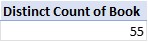
Your pivot table now shows the total number of books, without duplicates.
Count of books: 55